Compress jpg and keep exif
Free online JPG compressor that preserves EXIF data. Batch compress JPG while keeping all EXIF metadata. No upload, 100% private in browser.
Drag file here
About this tool
List of supported formats
jpg
jpeg
Free online JPG compressor that preserves EXIF data. Batch compress JPG while keeping all EXIF metadata. No upload, 100% private in browser.
Easyconvert's JPG Compressor with EXIF preservation is a free online tool that reduces JPG file sizes while keeping all EXIF metadata intact. This is essential for photographers who need to preserve camera settings, GPS location, date/time, and other shooting information embedded in their photos.
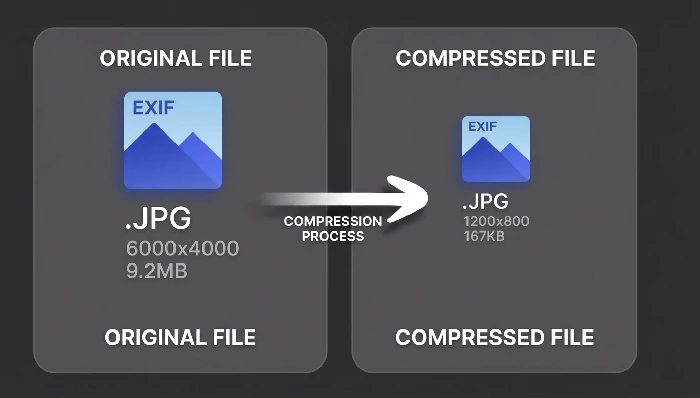
Unlike standard compression tools that strip metadata to save space, this tool uses a specialized encoding pipeline that compresses the image data while carefully extracting, preserving, and re-embedding the original EXIF information into the compressed output.
All processing happens in your browser — your photos are never uploaded to any server. The tool uses WebAssembly-based encoders for fast, efficient, and completely private compression.
Click the "Select the file" button and choose one or more JPG/JPEG files, or drag and drop them onto this page. You can also paste from clipboard (Ctrl+V) or import an entire folder using the "Select folder" button.
Choose the image quality level from the dropdown menu. You can select "Original image" for maximum quality, or choose a lower quality setting for greater compression. You can also enable the "Adjust orientation according to EXIF" option to automatically rotate images based on their EXIF orientation data.
The "Size" option allows you to choose between constant quality and constant file size modes. In constant quality mode, the tool maintains a consistent quality level across all images. In constant size mode, the tool adjusts quality to achieve a target file size.
Click the "Start" button to begin compression. The tool will process each JPG file locally, compressing the image data while preserving all EXIF metadata. Once completed, download the compressed files — all EXIF data including camera model, lens info, shutter speed, aperture, ISO, GPS coordinates, and timestamps will be intact.
EXIF (Exchangeable Image File Format) data is metadata embedded in JPG files by digital cameras and smartphones. It contains valuable information such as:
Preserving EXIF data is important for professional photographers who need to maintain shooting records, for photo organization software that relies on metadata for sorting and searching, and for legal or journalistic purposes where provenance information is required.
Typical compression results depend on the quality setting you choose:
In all cases, the EXIF metadata is fully preserved regardless of the compression level chosen.
Yes. The tool extracts all EXIF data from the original file before compression and re-embeds it into the compressed output. This includes camera settings, GPS data, timestamps, thumbnails, and all other EXIF fields. No metadata is lost during the compression process.
The standard Compress Images tool supports multiple formats (JPG, PNG, WebP, SVG, GIF, APNG) but may strip some metadata during compression. This tool is specifically designed for JPG files and guarantees that all EXIF metadata is preserved. If you only need to compress JPG photos and need to keep the shooting information, use this tool.
No. All compression is performed locally in your browser using WebAssembly technology. Your photos never leave your device. This is especially important when working with sensitive or personal photographs that contain GPS location data.
No installation is required. The tool runs entirely in your web browser. No login, no sign-up, no software downloads. Just open the page and start compressing.
Yes. You can select multiple JPG files at once, drag multiple files, or import an entire folder. The tool will process all files in batch with the same compression settings, preserving EXIF data for each file.
Digital cameras and phones store the orientation of the photo (portrait, landscape, rotated) in the EXIF data rather than actually rotating the pixels. Some software does not read this flag correctly, causing photos to appear sideways. Enabling this option will physically rotate the image pixels to match the EXIF orientation, ensuring the photo displays correctly in all viewers.
We recommend using a computer (PC) with Chrome or a Chromium-based browser for the best experience. The tool may work on mobile devices, but the interface is optimized for larger screens.