How to Compress GIFs Online in Batches?
This online GIF compressor uses advanced GIF compression algorithms, eliminating the need to upload GIF files, and compresses GIF directly in the browser, offering fast compression and high efficiency.
- 1
Import GIFs
Click the "Choose File" button to select GIF images or drag GIF images to this page.
- 2
Set Parameters for GIF Compressor
Lossless Compression
Preserve quality while maximizing compression.
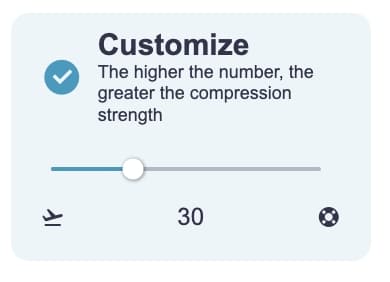
Custom Compression Strength
The higher the number, the stronger the compression.
Modify GIF Size (Optional)
Adjust width, height, or scale GIF size proportionally.
Modify GIF Color Count (Optional)
Set color count between 1-256.
- 3
Export Compressed GIFs
Click the "Start" button at the bottom right, wait for processing to complete, then click the "Download zip" button.
Demonstration of GIF Compressor
The Easyconvert GIF Compressor aims to reduce the size of GIF image files while maintaining image quality. You can import or drag and drop GIF files into the tool for compression with simple operations, supporting batch processing.
Next, the complete workflow of converting from video files to GIF and then compressing the GIF will be demonstrated. Of course, you can also skip the first step of video to GIF conversion and directly compress the GIF.
Step 1: Use Video to GIF or Edit Video and Convert to GIF to create original high-definition GIFs, which are often large and show significant compression effects.
Video Source: twitter cat
Step 2:
Compress the converted GIF.
The video demonstrates how to compress 2 GIFs using the "Lossless" method. Compression takes 2 seconds.
Data Results
| Image Name | MP4 | MP4 to GIF | Compressed GIF |
|---|---|---|---|
| Fj2Oo... | 200x208px / 42.5KB / 00:05 | 200x208px / 2.6MB | 200x208px / 1.8MB / -32% |
| Dancing Cat | 720x1280px / 1.0MB / 00:10 | 585x912px / 4.4MB | 585x912 / 1.9MB / -56% |
Comparison of GIF Compressor at Different Compression Strengths
When using "Custom" compression, the higher the compression strength, the more obvious the compression effect. From the comparison images below, it can be observed that higher compression strength results in more noise. In general, it is recommended to set it below 60.
What is the Principle of GIF Compressor?
The Easyconvert GIF compressor is based on the "gifsicle" optimization compression algorithm. It achieves compression by reducing differences between adjacent frames in the image, deleting duplicate pixels, and removing unnecessary image metadata. Additionally, you can adjust image size (optional) to further reduce file size. Through these techniques, the GIF compressor effectively reduces GIF file size while maintaining image quality.
Why Does the Compressed GIF Have Noise?
This is caused by the compression algorithm. Although it cannot be avoided, there is no need to worry, as in most cases, you won't notice the noise.
However, in the case of setting a very high compression strength, the GIF image will have obvious noise. After testing by Easyconvert, we recommend using "Lossless" or setting the compression strength to below 60 to avoid noticeable noise.