How to Convert Video to GIF Online?
This online video to GIF converter runs entirely in your browser, eliminating the need to upload video files. It supports batch conversion of multiple video formats to high-quality GIF animations.
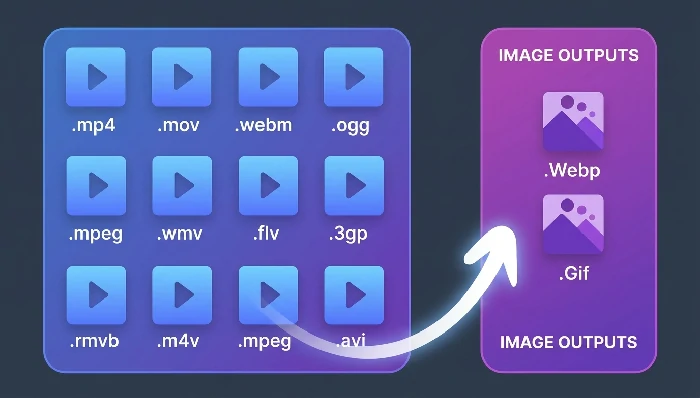
Click the "Select File" button to choose video files, or drag video files directly to this page. Supported formats include MP4, MOV, WebM, OGG, and more.
Format Selection
Choose output format: GIF or WebP.
Compress GIF (Optional)
Enable compression to reduce file size.
Frame Rate
Adjust the frames per second (default 16 fps).
Size (Optional)
Set output dimensions or keep original size.
Click the "Start" button, wait for processing to complete, then click the "Download zip" button to save your GIF files.
>
What Video Formats Are Supported?
The video to GIF converter supports MP4, MOV, WebM, and OGG as primary formats. It also supports MPEG, WMV, FLV, 3GP, RMVB, M4V, and AVI formats, though browser compatibility may vary depending on your system.
>
What Are the File Size and Duration Limits?
For the batch video to GIF tool, video files should not exceed 100MB in size and 60 seconds in duration. For longer or larger videos, please use the Edit Video and Convert to GIF tool, which supports segment selection and cropping.
>
How to Reduce GIF File Size?
To reduce GIF file size, you can: 1) Enable the "Compress GIF" option; 2) Lower the frame rate (fewer frames = smaller file); 3) Reduce the output dimensions. You can also use the GIF Compressor tool for further optimization after conversion.
>
Is the Video to GIF Conversion Secure?
Yes, all processing happens locally in your browser. Your video files are never uploaded to any server, ensuring 100% privacy and security.
>
Can I Convert Multiple Videos at Once?
Yes, the batch video to GIF converter supports processing multiple video files simultaneously. You can select multiple files or an entire folder to import.
>
What Is the Difference Between GIF and WebP Output?
GIF is widely supported across all platforms but has a larger file size and limited color palette (256 colors). WebP supports more colors, better compression, and transparency, but may not be supported on all older browsers.
Other Tools
Convert GIF
GIF Tools
Image Tools